Impact Plus
Impact Administration Privileges
Each account is provided with one user designated with the admin role to start. This user can create additional users including additional Administrators and grant various access controls within their account.
The admin can also create the advertiser hierarchy.
In addition to creating, editing, and deleting users, the admin can create custom roles for access. The roles themselves can be configured and named to assign to various users.
Things you can do as the Admin
Similar to the steps to add new roles as an admin, click on your username at the upper right of the screen and click on “Company Account”. Then click on “Users” on the vertical navigation on the left under Admin Settings. This will display the users that have been created and present an “Add User” button located at the upper right.
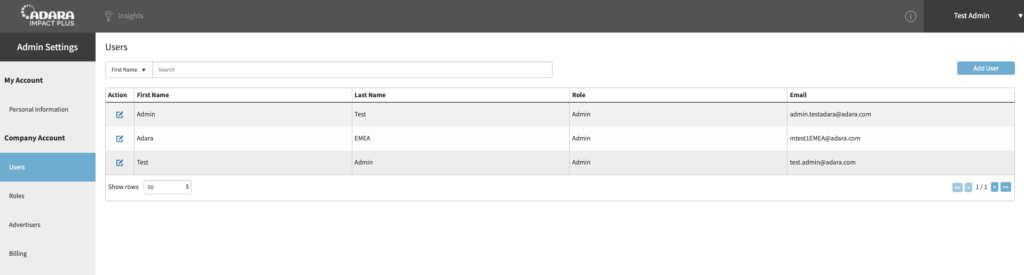
Clicking on the “Add User” button will allow you to create a new user and assign them to a role that was set up prior. For instructions on how to create a new role, please refer to the section on roles. In addition, you will be able to grant access to all advertisers or specify which advertiser the given user can access.
Make note of the password generated to send to the user. Without the system-generated password, the user will not be able to reset their password.
As an admin, click on your username at the upper right of the screen and click on Company Account.
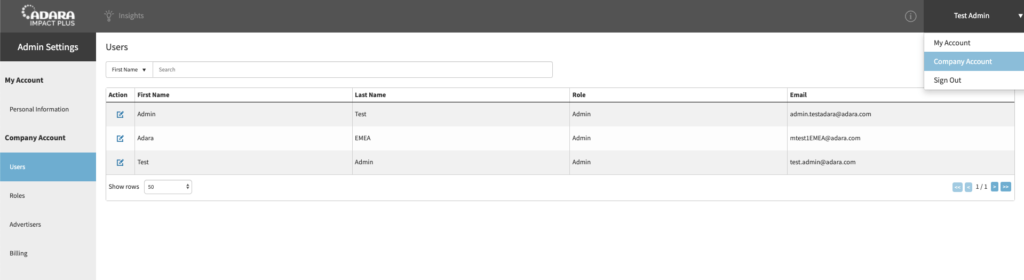
Then click on “Roles” on the vertical navigation on the left under Admin Settings. This will display the customized roles that have been created and present an “Add Role” button located at the upper right.
Clicking on the “Add Role” button will allow you to create a custom role and specify access to various functions. Options are “Full access” or “Read-only”, but you can choose to not select either which means users assigned to this role won’t have any access for the functionality specified in the given row. Once the role is created, you can then assign it to users. Please see the user section for more details.